
Opened 15 years ago
Closed 15 years ago
#4495 closed Bug report (rejected)
buttonbar does'not work/respond to user click
| Reported by: | Thijs Schreijer | Owned by: | |
|---|---|---|---|
| Priority: | normal | Component: | FileZilla Client |
| Keywords: | buttonbar toolbar | Cc: | thijs@… |
| Component version: | Operating system type: | Windows | |
| Operating system version: | Vista Business Business SP1 |
Description
clicking on any of the buttons has no effect. Only button that works is the "Open Site Manager" button. But even this one, not when clicked directly, only when clicking on one of the items in the dropdown list.
FileZilla client for windows, version 3.2.4.1
I'll attach a screen print, showing the buttons for the directory panes in both states, but in both cases the panes remain visible
Attachments (1)
Change History (2)
by , 15 years ago
| Attachment: | filezilla_bugreport.jpg added |
|---|
comment:1 by , 15 years ago
| Resolution: | → rejected |
|---|---|
| Status: | new → closed |
Problems like these are caused by badly written third-party programs that globally hook a random collection of window messages. Most commonly programs with non-native themes are the worst offenders.
Please uninstall all third party software not distributed by either Microsoft or the FileZilla project. Then the problem will go away.


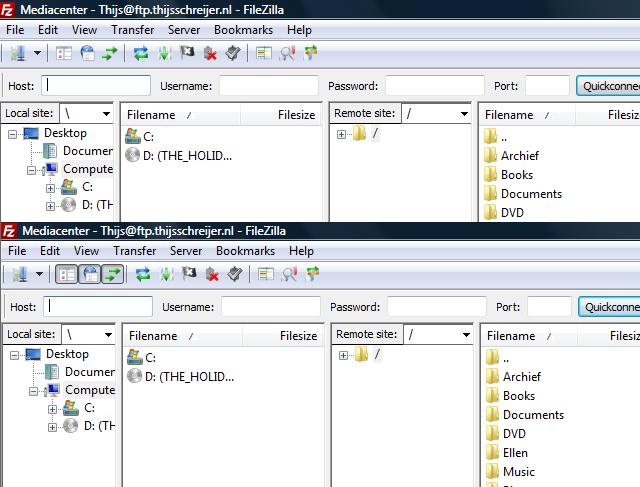
button state changed, but view doesn't change